Content Architecture for Discovery and Growth
Product Design
·
Mobile App
·
Markets.com
Redesigning a CFD trading home to help users find and compare market data efficiently, while creating clearer space for products, services, and campaigns—turning frequent market browsing into opportunities for deeper exploration and participation.
Post-launch results
+50% Product Exposure
|
+20% Featured Product CTR

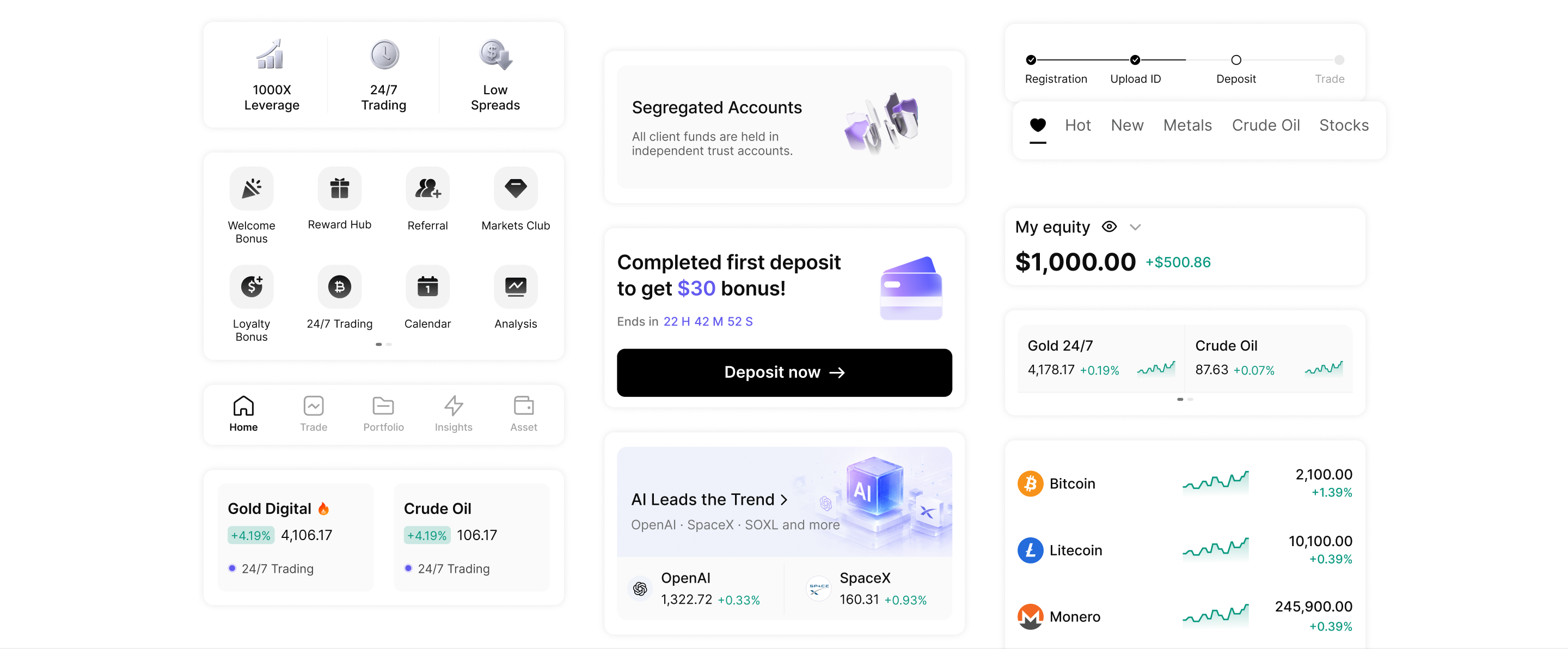
The home had to do more—without making market data harder to use.
As products, services, and campaigns expanded, the home page needed to communicate more of the platform’s value. At the same time, finding, scanning, and comparing market data remained a core task for trading users. The previous home page included Top Movers, Indices, and Recommendations, but spread market data across separate sections and formats. Adding more content to this structure would create more competition for screen space—and more effort to access market data. How might we make room for more platform value without increasing the effort required to find and compare market data?
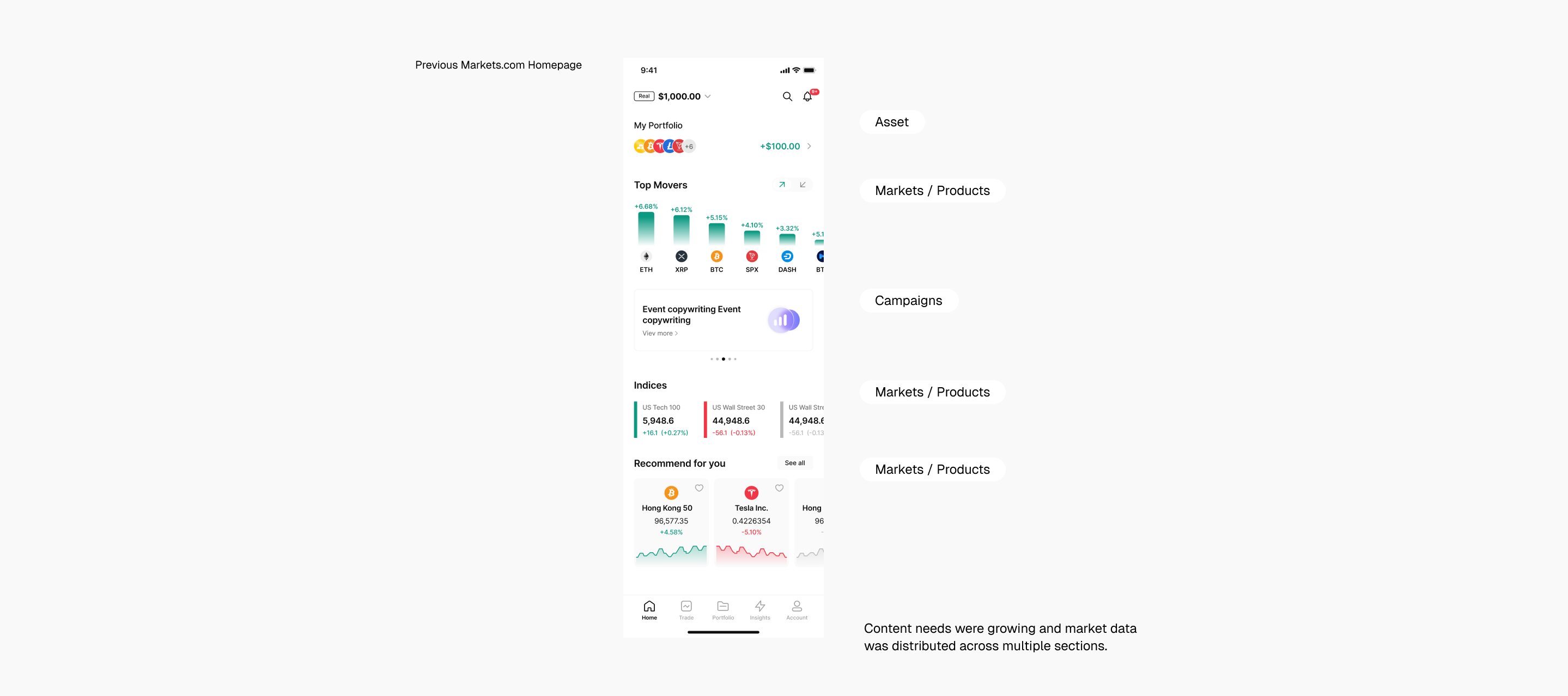
Reframing the home and the market task
I reviewed the home page through two lenses: what the platform needed to surface, and how traders consumed market data.
01 — Growing demands on the home page

The home page needed to support market access, product discovery, service entry, campaign visibility, and platform value.
02 — Industry shifts are reshaping the trading home

As trading platforms expand across asset classes, products, and services, the home page needs to support a broader range of user needs while keeping market information easy to navigate. Across market products, a recurring pattern is to keep market browsing structured and easy to scan, while giving discovery, services, and campaigns distinct roles.
03 — How users browse the market

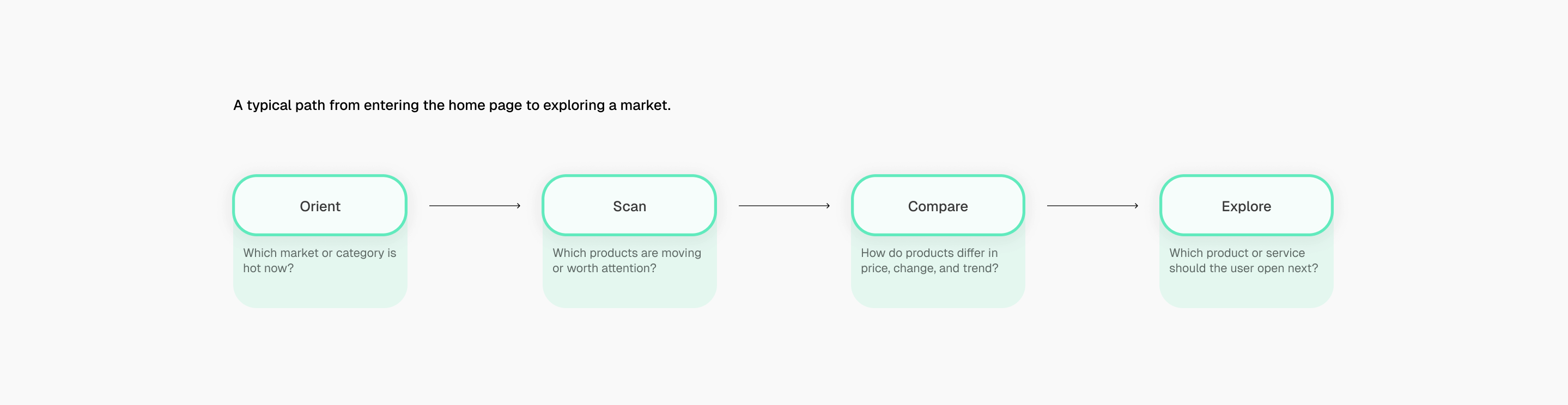
We observed a recurring browsing pattern on the home page: Most users tend to choose a market category first, then scan for products that stand out, compare key data, and explore products of interest. Before funding an account, users may look for signals that help them assess the platform’s credibility and how their funds are protected.
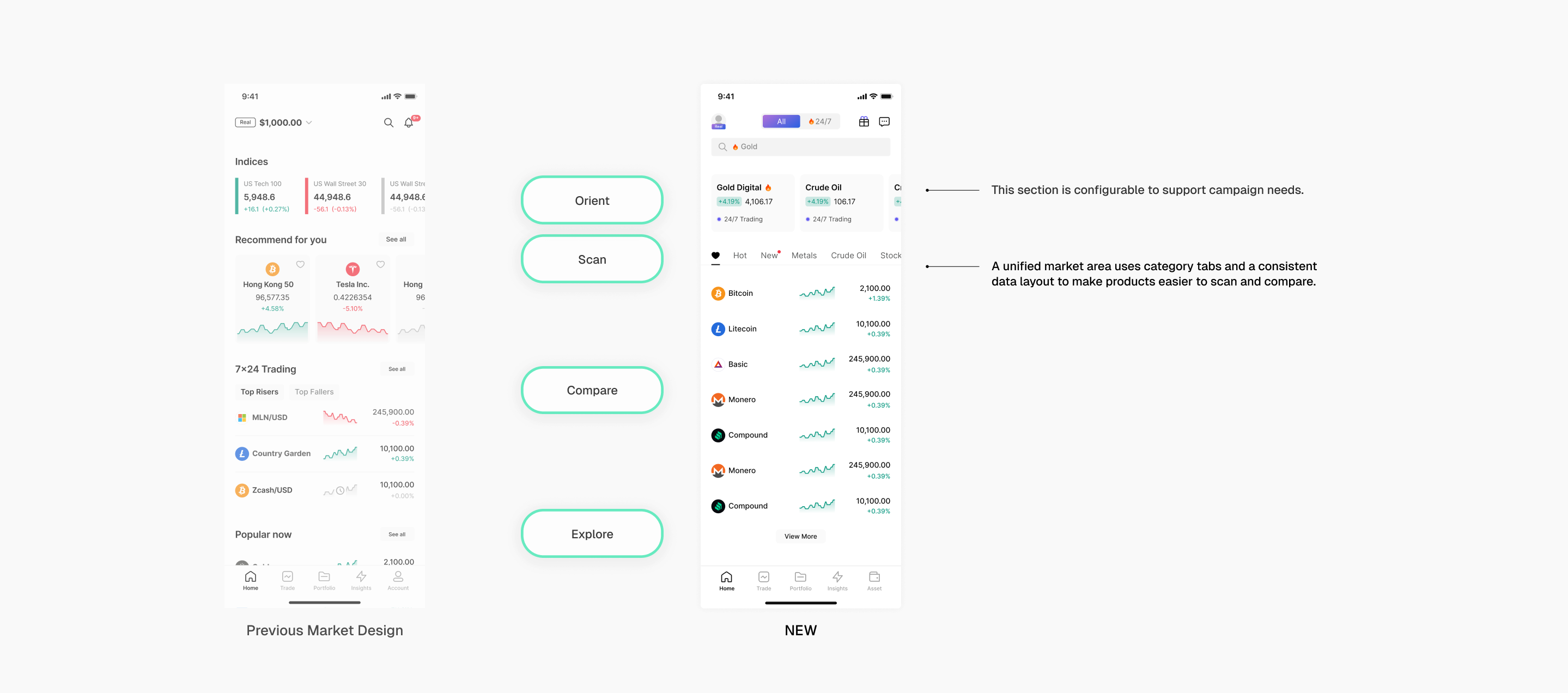
A home built for market browsing and timely content
01 — Organize markets around user activity and market trends

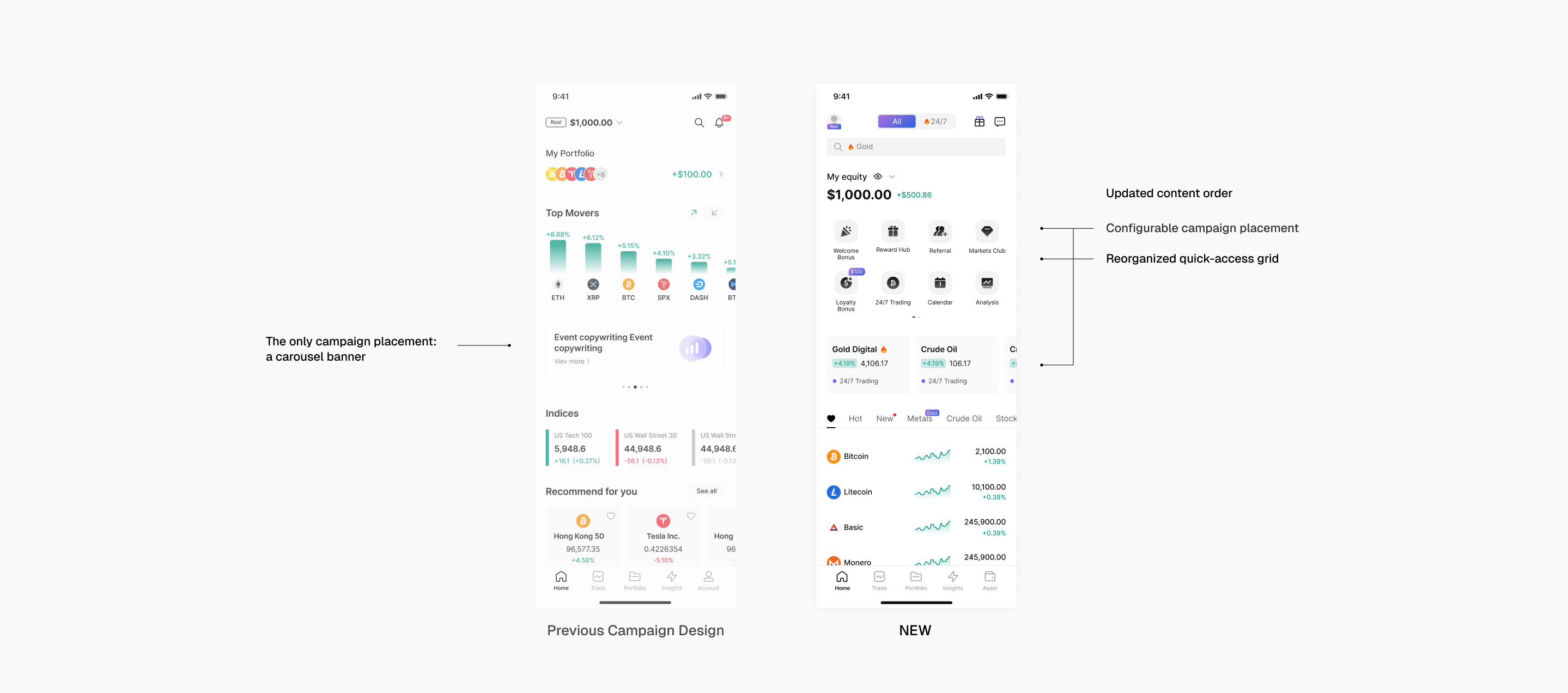
We organized market content around frequent user actions and current market trends, helping users find commonly viewed instruments and timely opportunities faster. The content could also be configured to respond to changing market interests and operational needs.
02 — Reorganize campaigns and quick access

Campaigns and quick-access content needed to fit changing operational priorities without disrupting the page structure. We reorganized the campaign placements and the shortcut grid to give key initiatives visibility while keeping frequently used services easy to find.
03 — Adapt content to user stage

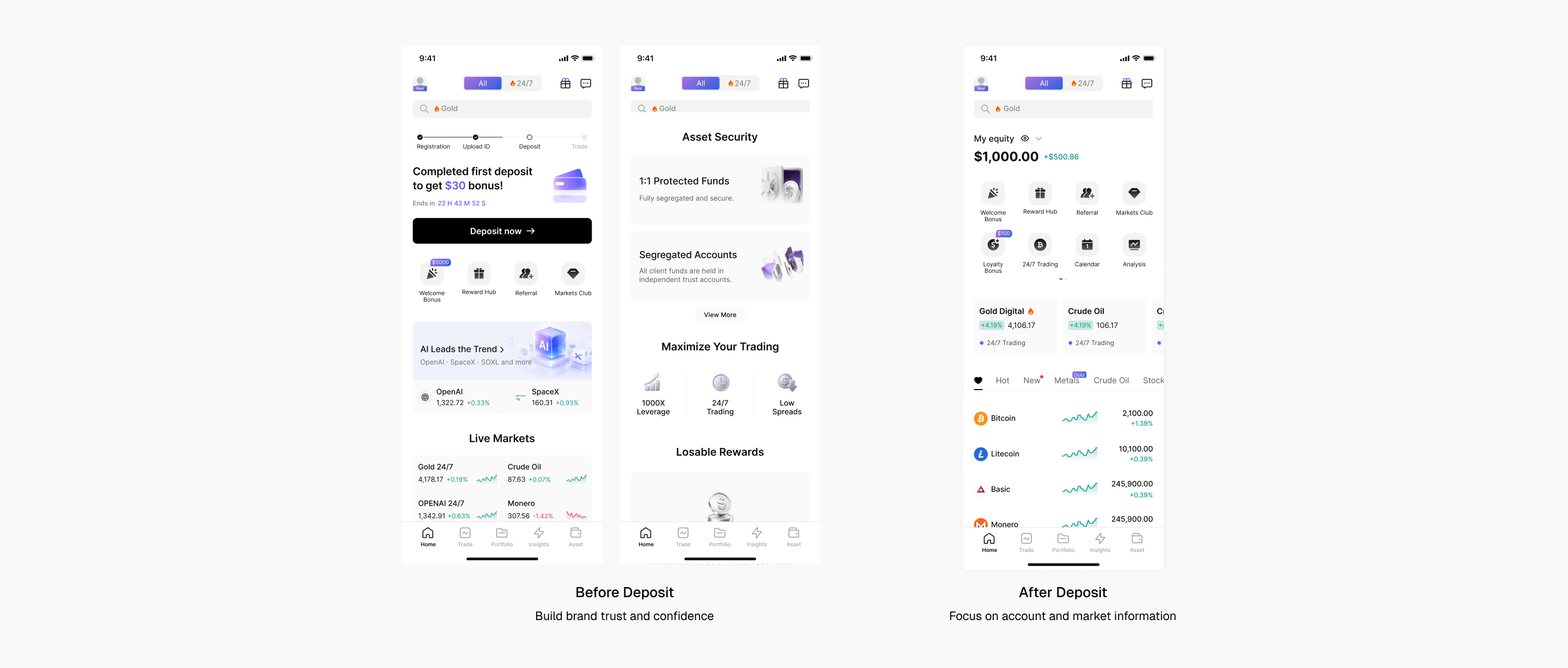
We adjusted the content emphasis by deposit status: pre-deposit users saw more onboarding guidance and platform information, while funded users saw more account and market content.
Balancing market efficiency with platform growth
By consolidating market browsing, reorganizing campaigns and quick access, and adapting content to users’ deposit status, the redesign made room for more platform value while keeping market information easy to scan.
Product Exposure
+50%
Featured Product CTR
+20%
